Trivisio
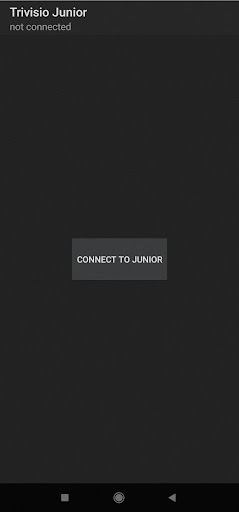
First, you will need to install the Googles Live Transcribe application.Next, pair your mobile device (smartphone) with the Trivisio Junior device using Bluetooth.Finally, you can launch the app and connect to Junior by tapping the "Connect" button.
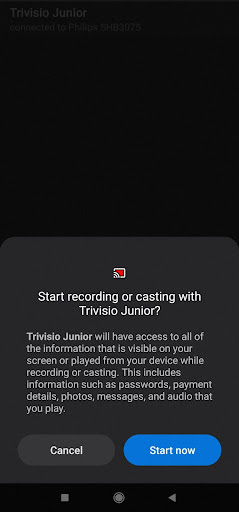
The application requires your permission to record text on your mobile devices screen and send it to your Junior device.Once you have granted permission, the Live Transcribe app will start automatically and you will begin receiving text on your Junior device.Please ensure that your mobile device is kept on so that you can continue receiving text.
The application requires your permission to record text on your mobile devices screen and send it to your Junior device.Once you have granted permission, the Live Transcribe app will start automatically and you will begin receiving text on your Junior device.Please ensure that your mobile device is kept on so that you can continue receiving text.
Features
👥
Social Features
Connect and share with friends and the community.
🏠
Smart Home
Control and monitor your home with smart features.
🚗
Automotive
Manage and monitor your vehicle with smart features.
Screenshots
See Trivisio in Action


Get the App Today

Available for Android 8.0 and above
Ask AI about this app
Get instant answers about features, tips and more from popular AI assistants.